Hi there
I’m DF, in this section, let’s follow me to deep dive into all the Events in Scrum
I am sure that you still remember how many events in Scrum framework, right? If no, ok it’s fine. I will remind to you with some details as below:
| Scrum Events | Timebox | Attendees |
|---|---|---|
| Sprint Planning | 8 hours for 1-month sprint, so 4 hours for 2 weeks | Scrum Team and Stakeholders if needed |
| Sprint | 1 month or less, usually 2 weeks | Scrum Team |
| Daily Scrum | 15 minutes | Should be for Developers, PO and SM if needed |
| Sprint Review | 4 hours for 1-month sprint, so 2 hours for 2 weeks | Scrum Team, Clients or Stakeholders |
| Sprint Retro | 3 hours for 1-month sprint, so 1.5 hours for 2 weeks | Only Scrum team. |
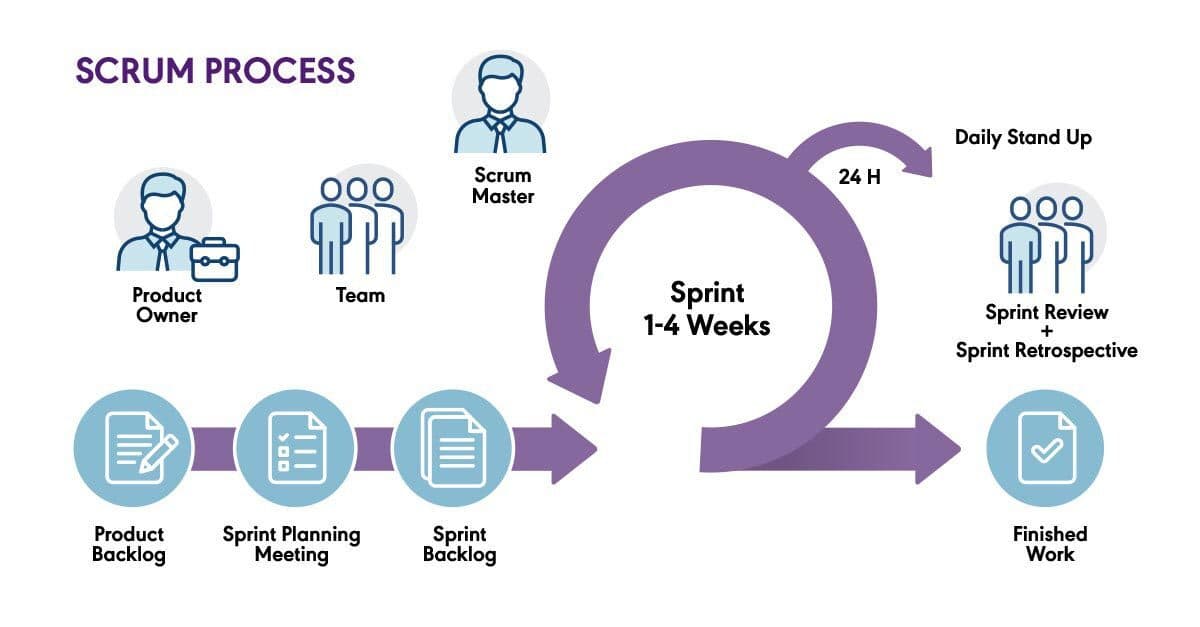
Why we need these events?
Scrum Events are structured meetings designed to promote 3 pillars in Scrum which are: transparency, inspection, and adaptation throughout the development process.
What to do during these events?
1. Sprint Planning
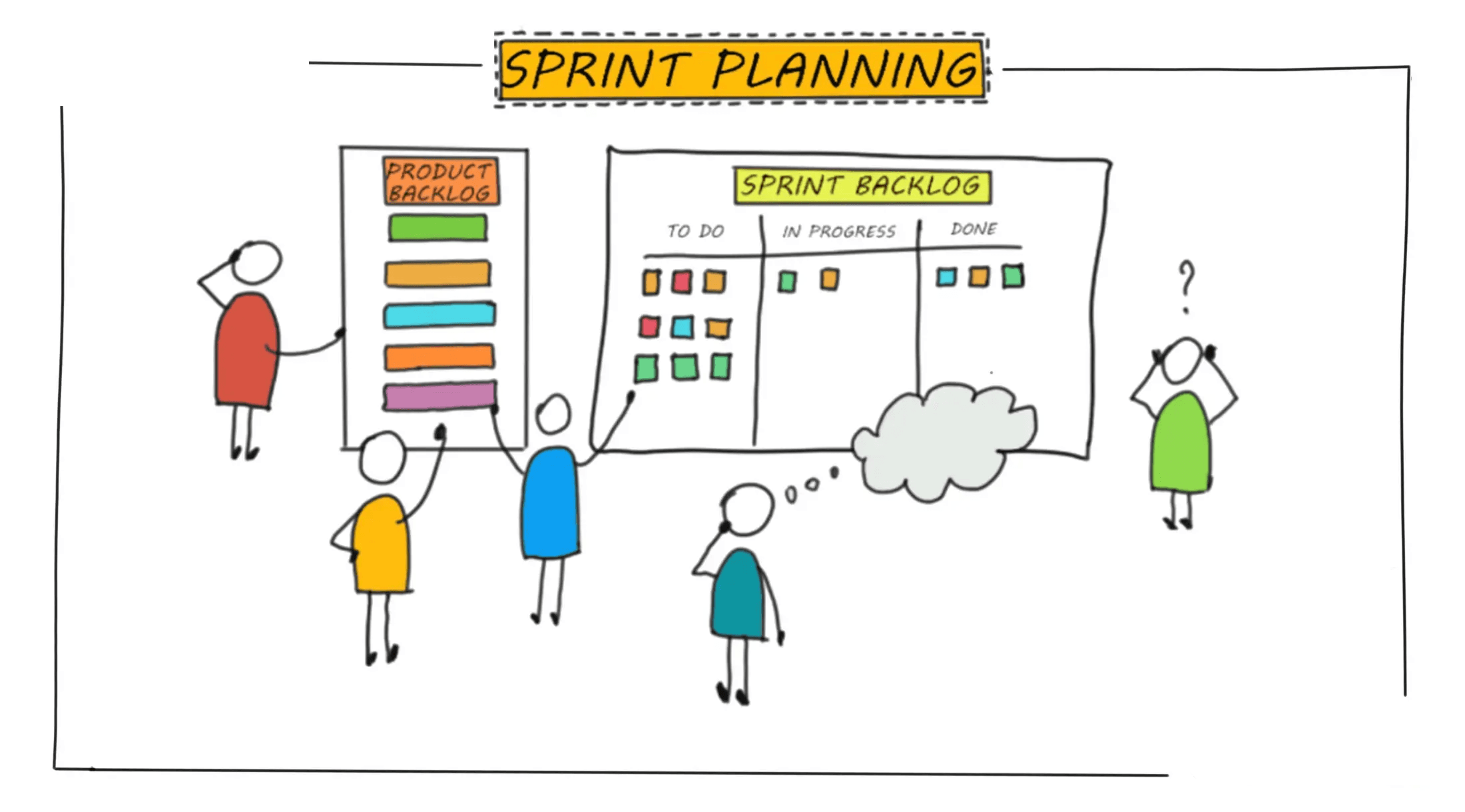
Scrum Team should conduct these activities during Sprint Planning
-
Selects Product Backlog items to be delivered (Sprint Backlog)
-
Defines the Sprint Goal
-
Plans the work needed to complete those items
-
Discussions include task breakdown, technical considerations, and capacity planning.
Notice:
Can conduct 2 separate sessions, the first one with internal team and the other with external team for better preparation and decision
Story Point Estimation
A technique in Agile to measure the relative effort required to complete a user story. Instead of estimating in hours, teams use abstract units to represent complexity, risk, and effort. The goal is not precision, but consistent, relative sizing across the team.
Why we need
-
To understand the relative size, complexity, and risk of user stories.
-
To support Sprint Planning, capacity planning, and release forecasting.
-
To promote team collaboration and shared understanding of the work.
How to do
-
Estimate each user story using Story Points (typically a Fibonacci sequence: 1, 2, 3, 5, 8, etc.).
-
Consider effort, complexity, uncertainty, and dependencies.
-
Make sure to select the smallest user story and mark it as 1.
-
Proceed with evaluating other bigger user stories.
-
Use techniques like Planning Poker to reach consensus.
-
Assign story points for future use in velocity tracking and Sprint forecasting.
Hours Estimation
Estimation in hours means assigning a specific amount of clock time (e.g 2 hours, 6 hours) to a task or user story, representing how long it is expected to
Why we need
-
To plan the Sprint workload realistically based on team capacity.
-
To help identify overcommitted or underutilized team members.
-
To break down user stories into actionable, time-estimated tasks.
-
Useful for new teams still building a sense of effort sizing.
How to do
-
Break user stories into smaller technical tasks.
-
Estimate hours required for each task (e.g: 2h, 4h, 6h).
-
Consider developer availability, complexity, and past performance.
-
Use the total estimated hours to balance Sprint workload and ensure
Risk Management
Risk management is built into the framework through its iterative nature and frequent inspection points. Risks are addressed early and continuously throughout the project lifecycle.
Why we need
-
To identify, assess, and mitigate potential threats that may impact project goals, timelines, or quality
-
To enable proactive decision-making, reduce uncertainty, and maximize opportunities
-
To increase confidence in project outcomes and ensure smoother delivery
How to do
-
Identify risks (technical, operational, business, external)
-
Assess likelihood (Not likely happen, will happen) and impact (Light, High impact)
-
Plan responses: avoid (keep in view) or resolve it
-
Monitor and review risks regularly
-
Communicate risks transparently across the team and stakeholders
2. Daily Scrum
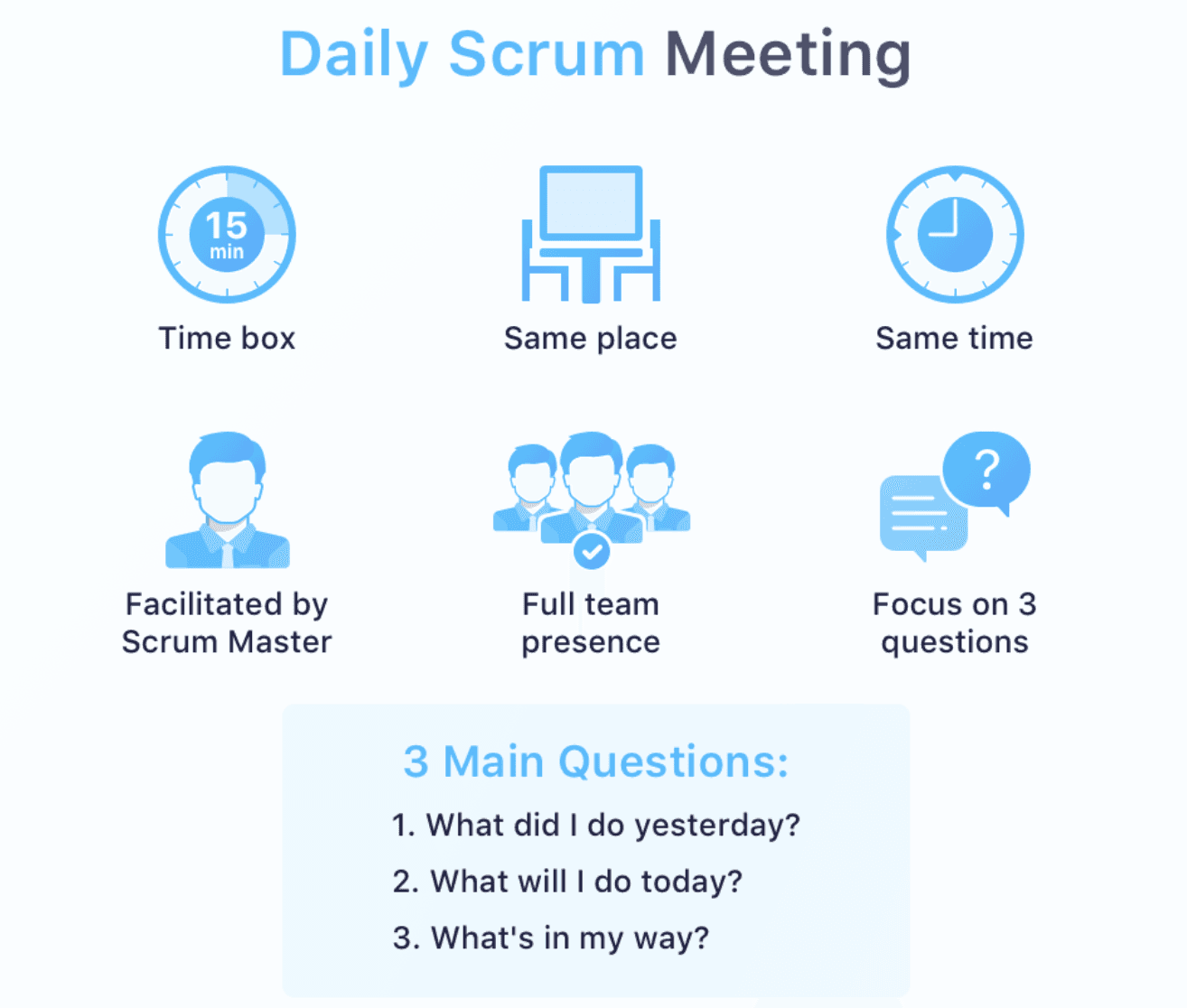
The Daily Scrum is a 15-minute event for the Developers of the Scrum Team. If the Product Owner or Scrum Master are actively working on items in the Sprint Backlog, they participate as Developers.
Why we need
-
To inspect progress toward the Sprint Goal and adapt the Sprint Backlog as necessary, adjusting the upcoming planned work.
-
To improve communications, identify impediments, promote quick decision-making, and consequently eliminate the need for other meetings.
How to do
There are many ways to let developers sync up, inspect the progress to adapt with sprint goal. But in common practices, Scrum team can use this way:
Encourage team to answer 3 questions
-
What did I do yesterday?
-
What will I do today?
-
Any blockers or impediments?
Notice:
Should keep as the timebox. Anything need to further discussion, discuss in a seperate meeting
To reduce complexity, it is held at the same time and place every working day of the Sprint.
3. Sprint Review
Sprint Review is organized at the end of each Sprint (before the Sprint Retrospective). The Scrum Team presents the results of their work to key stakeholders and progress toward the Product Goal is discussed.
Why we need
-
To inspect the outcome of the Sprint and determine future adaptations
-
To gather feedback, and adapt the Product Backlog toward the Product Goal
-
To ensures transparency, alignment, and shared understanding between Scrum Team and stakeholders
How to do
-
Usually consider as a Demo to show what team has accomplished
-
Discussion of progress, challenges or what has changed in the environment, market
-
Adaptation of the Product Backlog based on feedback.
-
Planning next steps collaboratively.
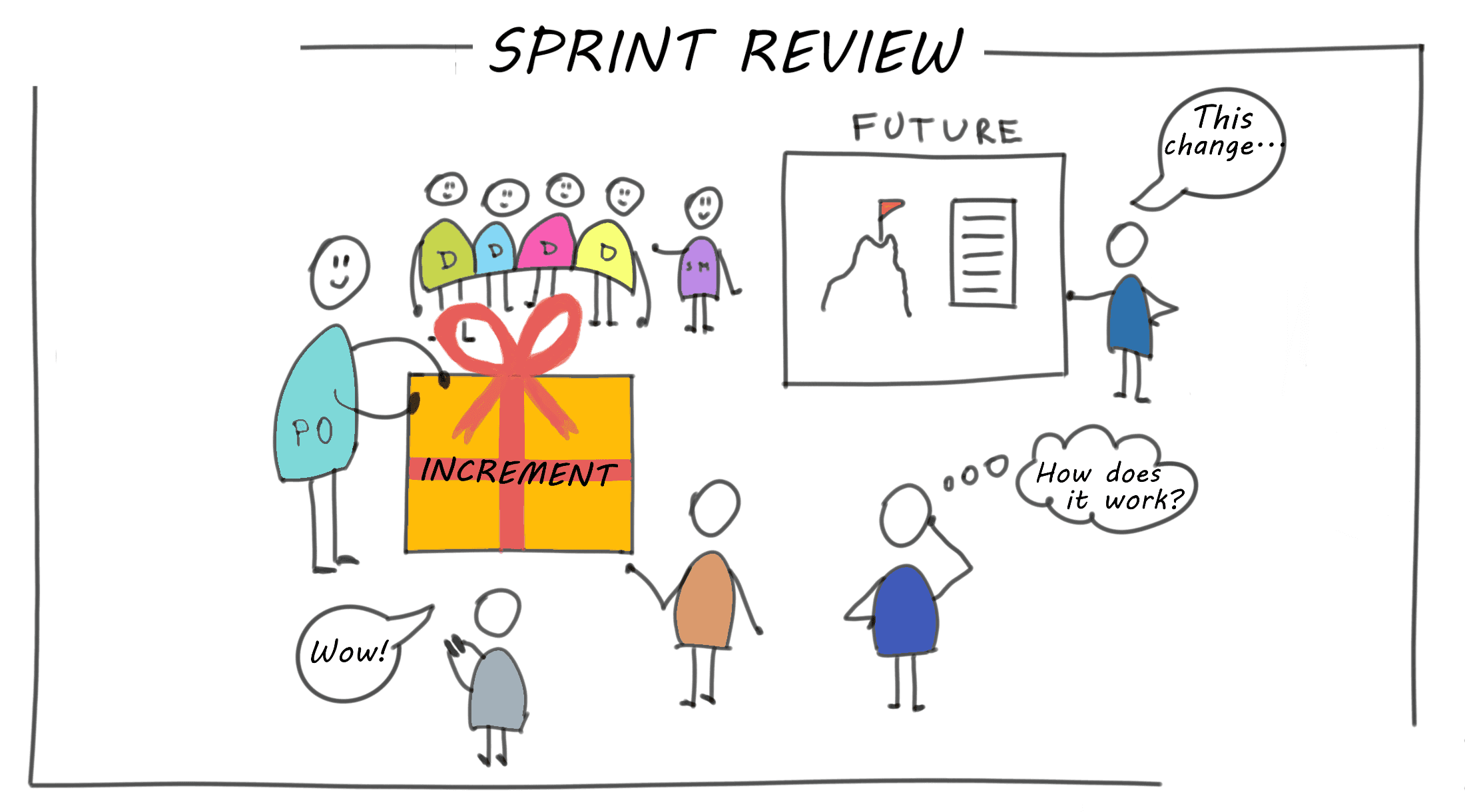
Notice: Should be a working session and the Scrum Team should avoid limiting it to a presentation
4. Sprint Retrospective
The Sprint Retrospective concludes the Sprint, only required for Scrum team. It identifies successes, challenges, and areas for improvement. The outcome is a plan of actionable steps to enhance future Sprints.
Why we need
-
To inspects how the last Sprint went with regards to individuals, interactions, processes, tools, and their Definition of Done
-
To improve processes, collaboration, and productivity.
-
To prevent repeating mistakes and build on successes.
How to do
-
The Scrum Team discusses what went well during the Sprint, what problems it encountered, and how those problems were (or were not) solved.
-
Decide on specific actions list witht the assignees to implement in the next Sprint.
-
Can use some tools such as: Miro, Figjam
-
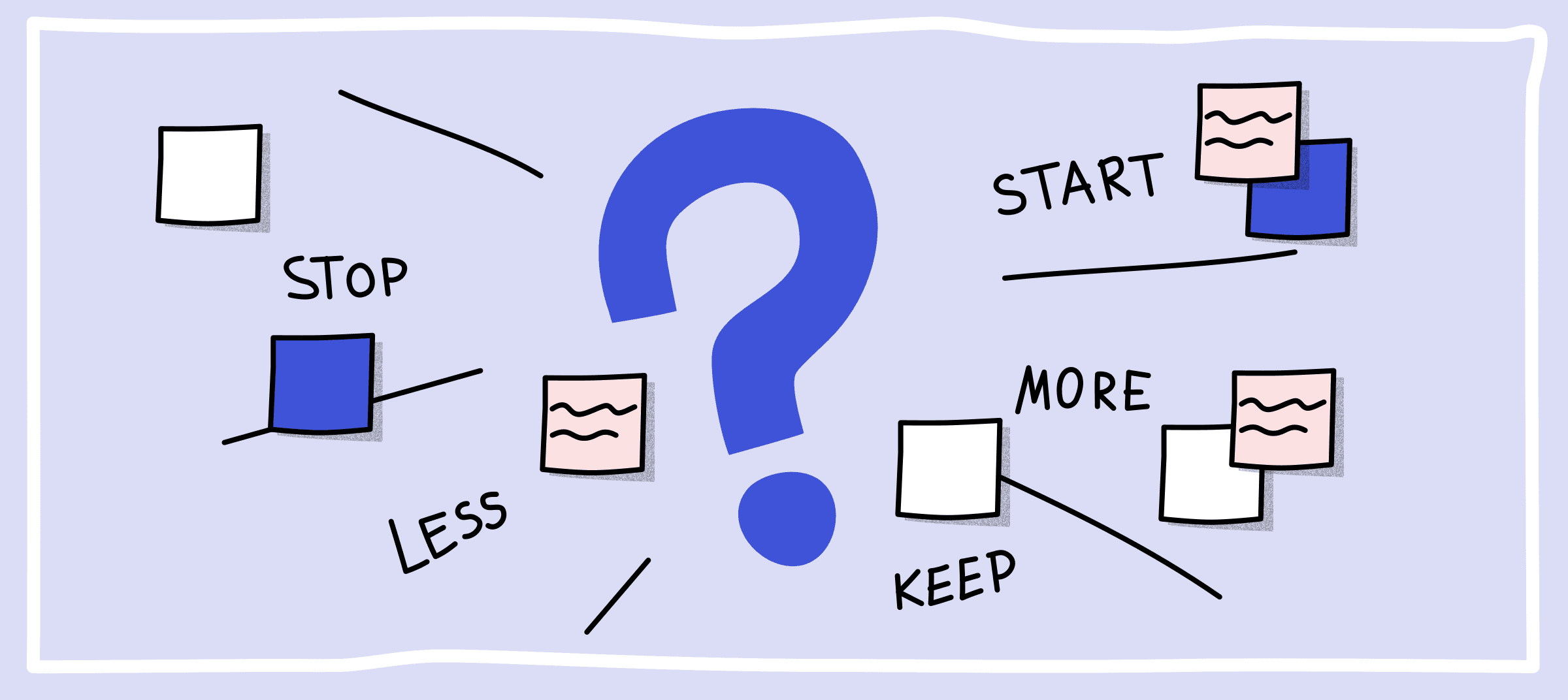
There are many formats to warm-up and run a retrospective to make team feel comfortable and easier to express their thoughs
Notice:
Do not make the meeting as a way to blame anyone, keep in mind that this is the chance for everyone to reflect about the Sprint and toghether to improve in the next future